AWS Cloud Security Lab
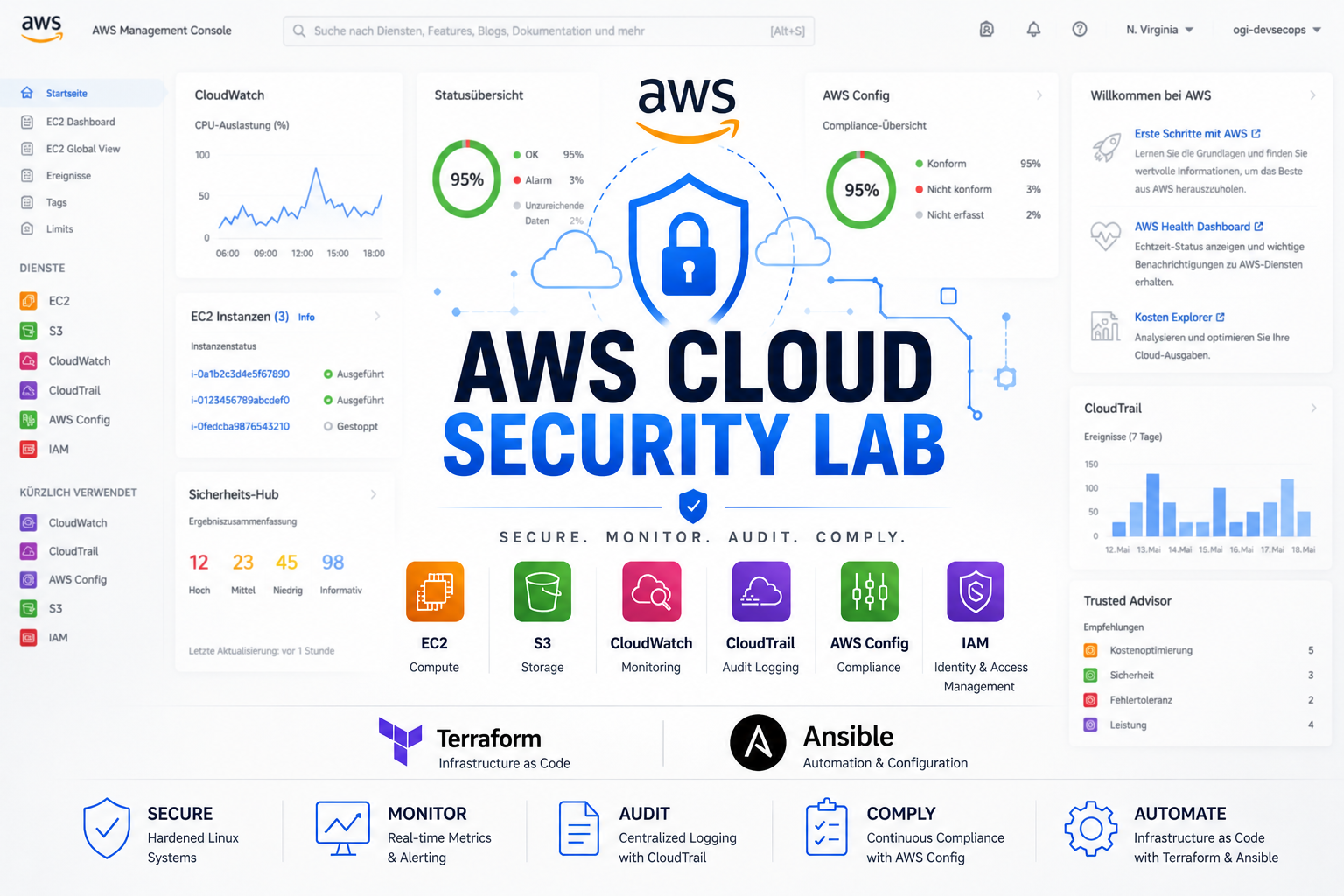
Hands-on AWS Security Project demonstrating Infrastructure as Code (Terraform), Configuration Management (Ansible), Linux Hardening, Monitoring, Audit Logging, Compliance Monitoring and DevSecOps practices.
Overview
AWS Cloud Security Lab is a practical cloud security project designed to gain hands-on experience with AWS, Infrastructure as Code, system hardening, monitoring, auditing, and compliance monitoring.
Instead of manually deploying infrastructure through the AWS Console, all resources are provisioned and managed through Terraform and Ansible. This makes the environment reproducible, auditable, scalable and easier to maintain.
Objectives
The primary goals of this project were:
- Learn AWS core services
- Deploy infrastructure using Terraform
- Automate server hardening with Ansible
- Secure remote access using SSH keys
- Implement firewall protection
- Configure Fail2Ban protection
- Deploy monitoring and alerting
- Enable audit logging
- Implement compliance monitoring
- Apply IAM least privilege principles
- Build a portfolio-ready cloud security project
Security Highlights
- Infrastructure deployed entirely through Terraform
- Linux hardening automated with Ansible roles
- SSH password authentication disabled
- Root login disabled
- UFW firewall enabled
- Fail2Ban protection configured
- CloudWatch monitoring and alerting
- CloudTrail audit logging enabled
- AWS Config compliance monitoring enabled
- IAM Least Privilege permissions applied
Architecture
| Component | Purpose |
|---|---|
| EC2 Instance | Ubuntu server used for security hardening, monitoring, and validation |
| S3 Bucket | Secure storage with encryption, versioning, and public access blocking |
| Security Group | Restricts inbound access to trusted IP addresses |
| IAM Roles | Allows AWS services to securely interact without storing credentials |
| Terraform | Provisions and manages cloud infrastructure |
| Ansible | Automates system hardening and configuration |
| CloudWatch | Monitoring, metrics collection, and alerting |
| CloudTrail | Records AWS API activity for auditing |
| AWS Config | Tracks resource configurations and compliance status |
The environment was intentionally kept compact and focused. The goal was not to build an oversized enterprise architecture, but to demonstrate a clean and security-focused AWS lab using tools commonly used in DevSecOps and Cloud Security workflows.
Technology Stack
Cloud
- AWS EC2
- AWS S3
- AWS IAM
- AWS CloudWatch
- AWS CloudTrail
- AWS Config
Infrastructure as Code
- Terraform
Configuration Management
- Ansible
Operating System
- Ubuntu Server
Security
- UFW
- Fail2Ban
- SSH Hardening
- IAM Least Privilege
Project Structure
aws-cloud-security-lab/
│
├── README.md
│
├── terraform/
│   ├── provider.tf
│   ├── main.tf
│   ├── variables.tf
│   ├── outputs.tf
│   ├── cloudwatch.tf
│   ├── cloudtrail.tf
│   └── config.tf
│
├── ansible/
│   ├── inventory.ini
│   ├── site.yml
│   └── roles/
│       ├── common/
│       ├── firewall/
│       ├── fail2ban/
│       ├── ssh_hardening/
│       └── monitoring/
│
└── img/
Infrastructure as Code with Terraform
Terraform was used to provision and manage all AWS resources.
Benefits:
- Infrastructure stored as code
- Version-controlled deployments
- Repeatable provisioning
- Easier auditing and maintenance
Terraform Workflow
The basic workflow used during the project:
terraform init
terraform fmt
terraform validate
terraform plan
terraform apply
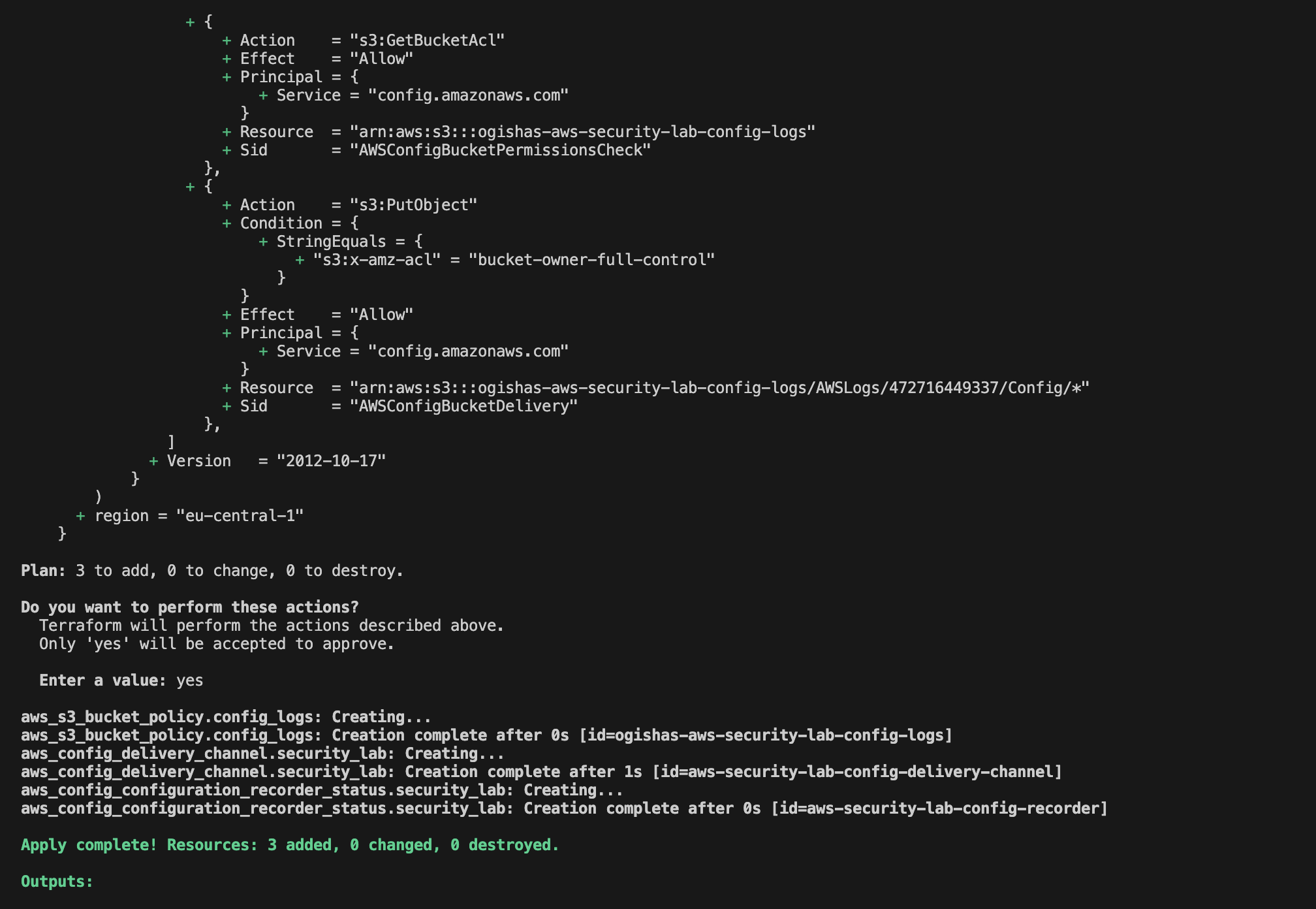
A successful Terraform apply confirms that AWS resources were created or updated according to the configuration.
Resources Deployed
Secure S3 Bucket
The project includes a secure S3 bucket configured with:
- Versioning enabled
- Server-side encryption enabled
- Public access blocked
This helps protect stored data from accidental deletion and unauthorized access.
EC2 Instance
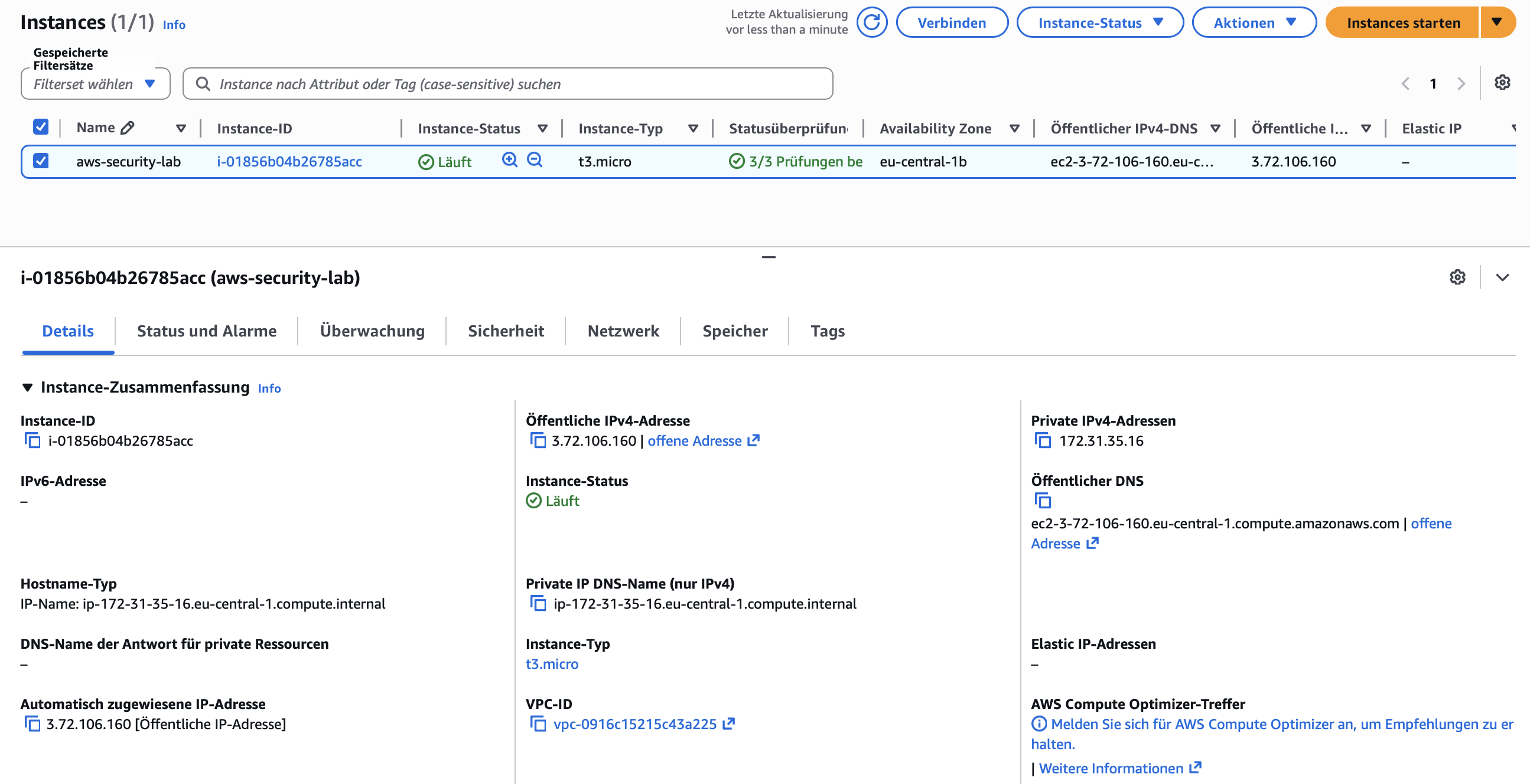
An Ubuntu EC2 instance was deployed to serve as the main security lab environment.
Instance Type:
t3.micro
Security Group
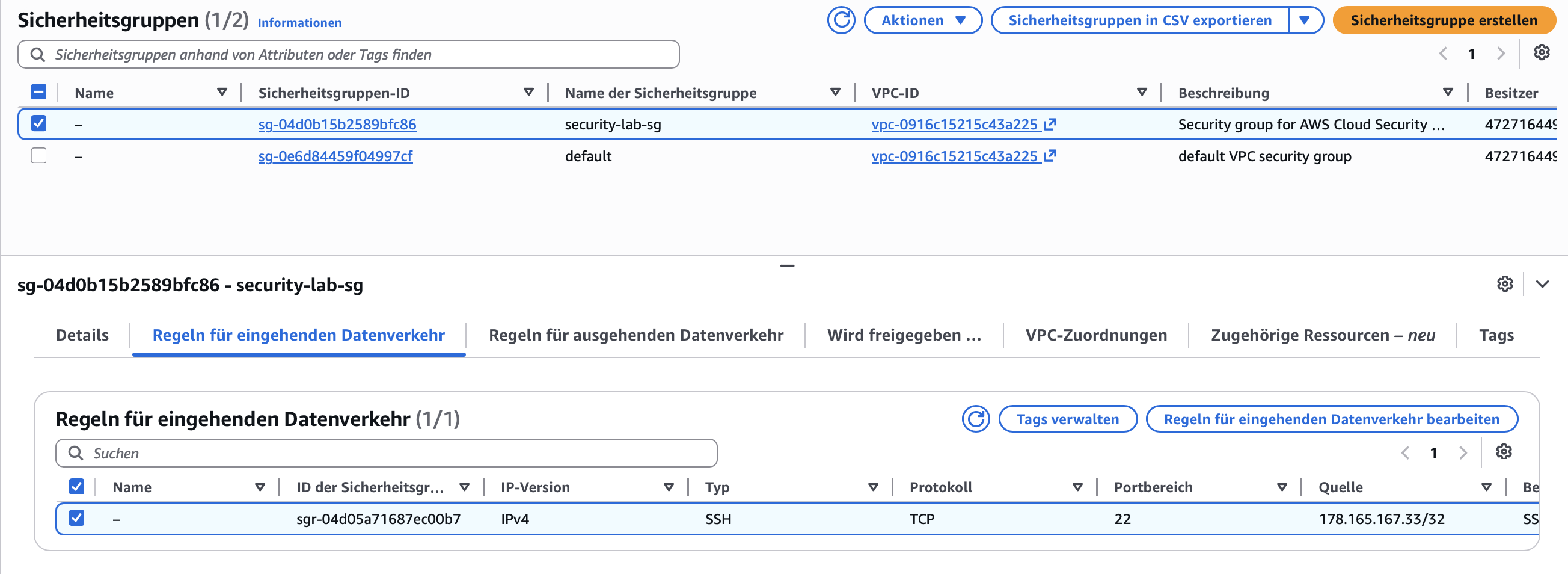
Only SSH access is allowed and restricted to a trusted public IP address.
This minimizes the exposed attack surface and avoids exposing SSH to the entire internet.
IAM Roles
Dedicated IAM roles were created for:
- CloudWatch Agent
- AWS Config
This avoids storing credentials directly on the server and follows the principle of least privilege.
Linux Hardening with Ansible
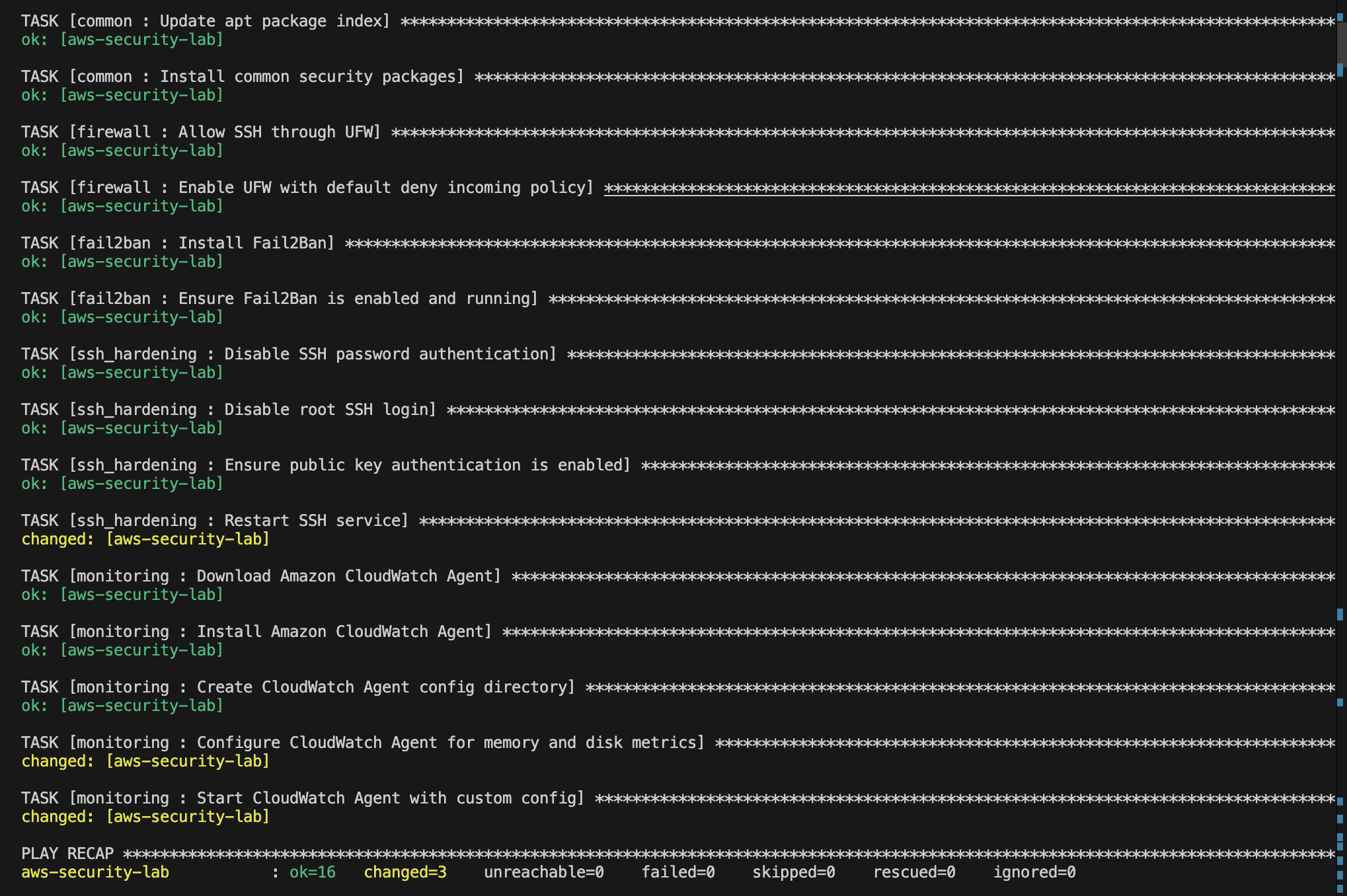
After provisioning the infrastructure, Ansible was used to automatically harden the Ubuntu server.
Instead of executing commands manually, the configuration is managed through reusable Ansible roles.
Implemented Roles
Common
Responsible for:
- Package updates
- Security packages
- Basic server preparation
Firewall
Configured UFW with:
Default Incoming: DENY
Default Outgoing: ALLOW
Fail2Ban
Provides protection against brute-force attacks by automatically blocking repeated failed login attempts.
SSH Hardening
Implemented controls:
PasswordAuthentication no
PermitRootLogin no
PubkeyAuthentication yes
Monitoring
Automatically deploys and configures the CloudWatch Agent.
Monitoring with CloudWatch
Monitoring is a critical part of cloud security.
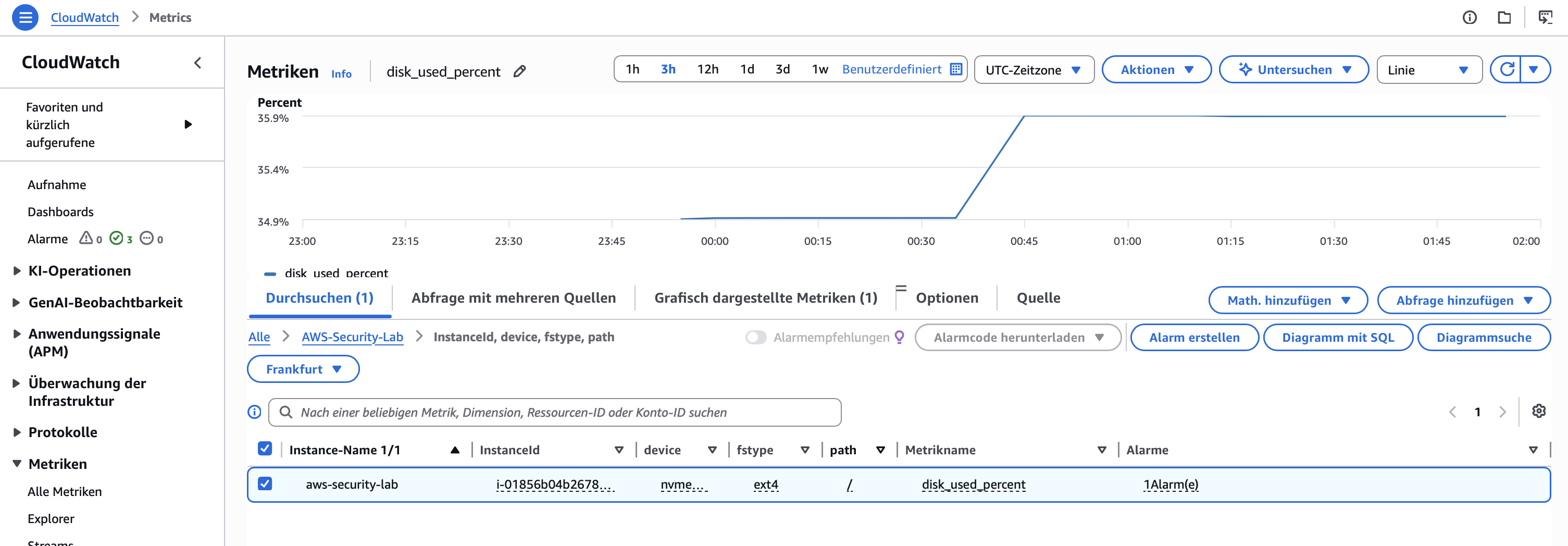
CloudWatch was configured to collect:
- CPU Utilization
- Memory Utilization
- Disk Utilization
CloudWatch Agent
The CloudWatch Agent was deployed automatically through Ansible and configured to send system metrics to AWS CloudWatch.
Alerting
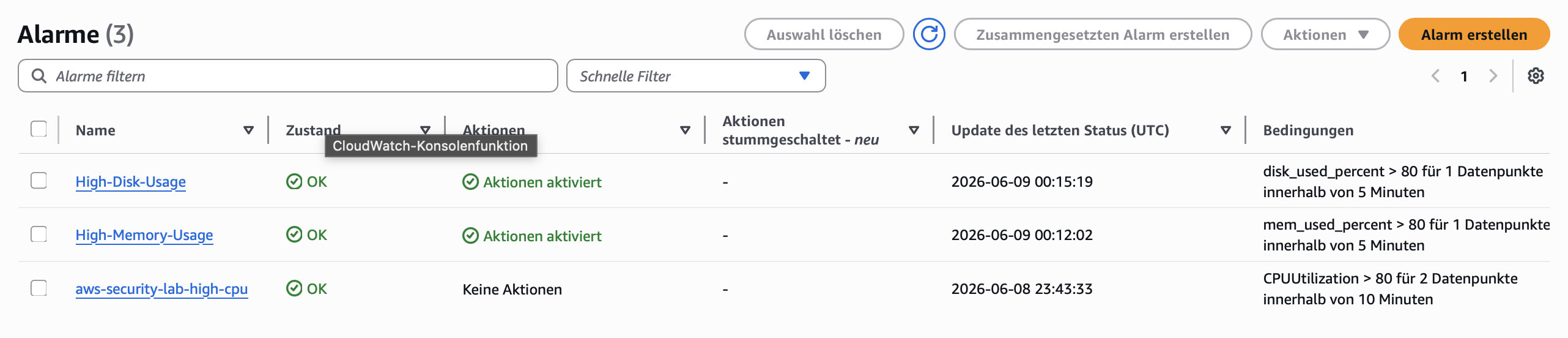
CloudWatch alarms were configured to detect abnormal behavior.
Example:
CPU Utilization > 80%
Benefits:
- Faster detection of issues
- Operational visibility
- Incident response support
Audit Logging with CloudTrail
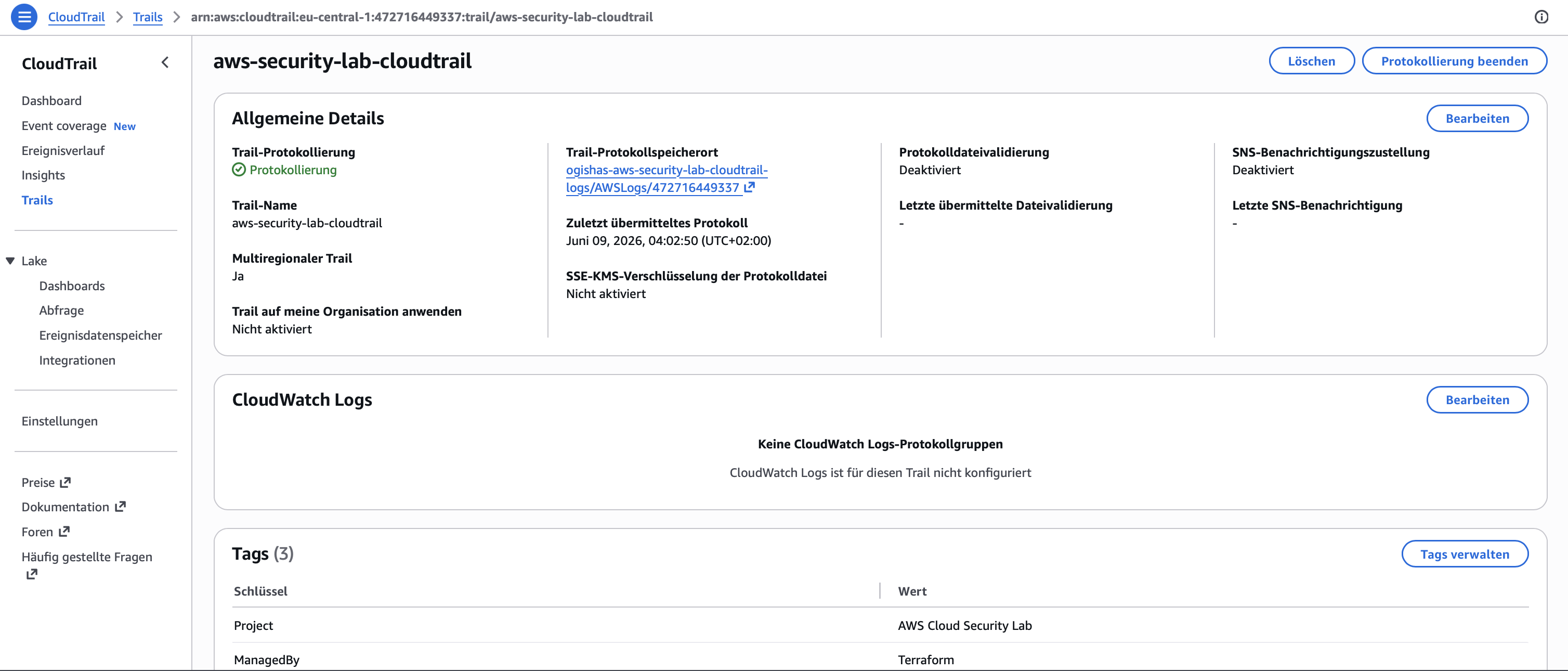
CloudTrail records all AWS API activity performed within the account.
Examples include:
- EC2 creation
- IAM changes
- Resource deletion
- Security configuration changes
Benefits:
- Auditability
- Accountability
- Forensics support
- Compliance reporting
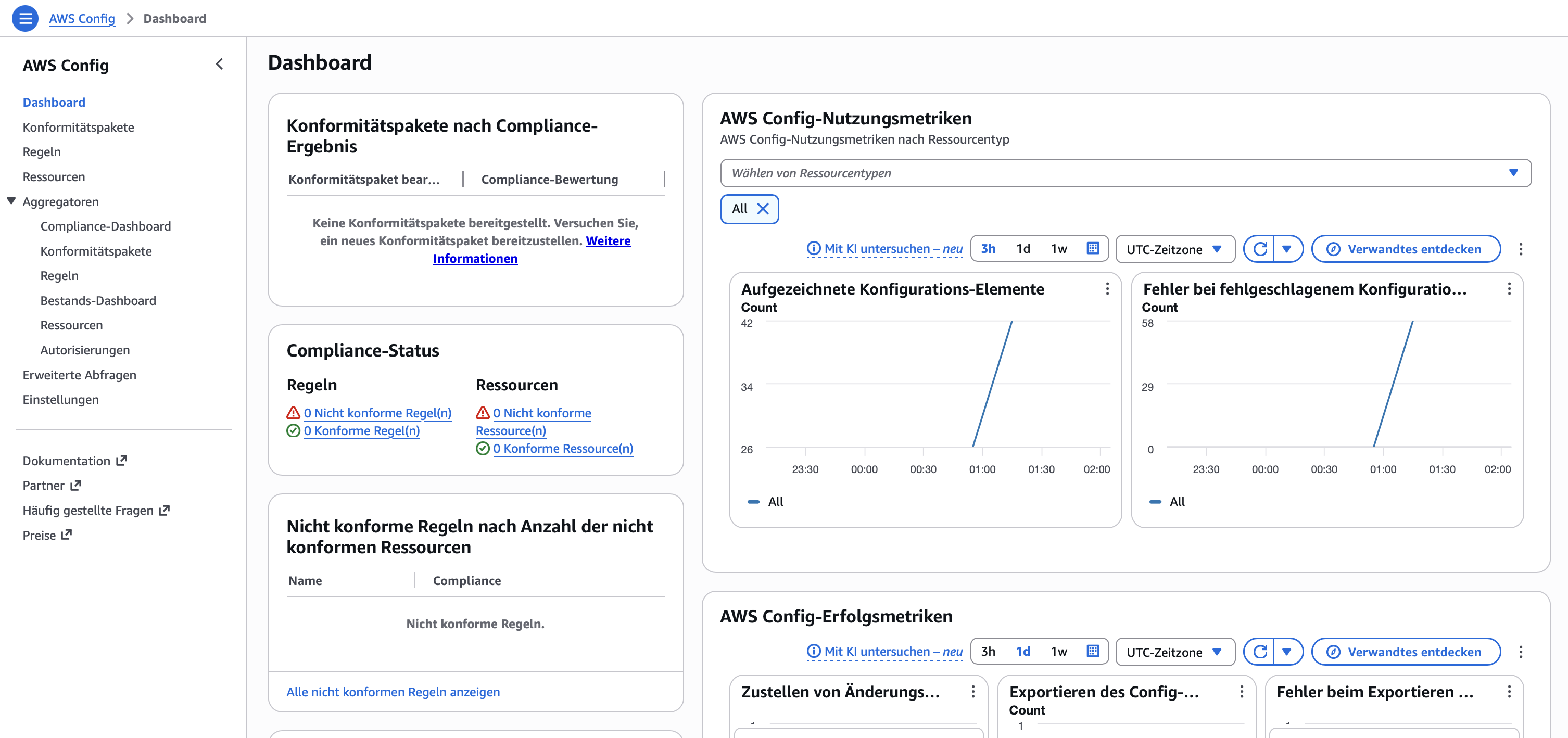
Compliance Monitoring with AWS Config
AWS Config continuously evaluates AWS resource configurations.
Purpose:
- Configuration history
- Change tracking
- Compliance monitoring
- Governance visibility
Benefits:
- Detect insecure configurations
- Track resource modifications
- Improve security visibility
Challenges & Troubleshooting
Several real-world challenges were encountered and resolved during the project.
Terraform Provider Initialization
Initial Terraform validation issues required provider initialization and dependency management.
Git Large File Issue
Terraform provider binaries were accidentally committed to Git, causing GitHub push failures due to file size limits.
Solution:
- Added
.terraform/to.gitignore - Removed provider binaries from Git history
- Kept
.terraform.lock.hclunder version control
CloudWatch Agent Credentials
The CloudWatch Agent initially failed to publish metrics because no IAM role was attached to the EC2 instance.
Solution:
- Created CloudWatch IAM Role
- Attached
CloudWatchAgentServerPolicy - Added an Instance Profile to the EC2 instance
IAM PassRole Permissions
AWS Config deployment initially failed because the Terraform user lacked iam:PassRole permissions.
Solution:
- Added least-privilege
iam:PassRolepermissions - Restricted role usage to AWS Config
AWS Config Delivery Channel Permissions
AWS Config could not write configuration snapshots to the S3 bucket.
Solution:
- Added the required bucket policy
- Allowed AWS Config service access
These issues provided valuable experience in troubleshooting real-world AWS deployments.
Security Controls Implemented
Infrastructure Security
- Infrastructure as Code
- Secure S3 Configuration
- Restricted Security Groups
- IAM Least Privilege
Host Security
- UFW Firewall
- Fail2Ban
- SSH Hardening
- Security Updates
Monitoring
- CloudWatch Agent
- CPU Monitoring
- Memory Monitoring
- Disk Monitoring
- CloudWatch Alerts
Auditing
- CloudTrail
Compliance
- AWS Config
Lessons Learned
Through this project I gained practical experience with:
- AWS infrastructure deployment
- Terraform state management
- Infrastructure as Code principles
- Linux hardening techniques
- Ansible role-based automation
- Monitoring and alerting
- Audit logging
- Compliance monitoring
- IAM permission troubleshooting
- Cloud security best practices
Conclusion
AWS Cloud Security Lab demonstrates practical cloud security skills across infrastructure provisioning, Linux hardening, monitoring, alerting, auditing and compliance monitoring.
By combining Terraform, Ansible and AWS native security services, a secure and reproducible cloud environment was built using modern DevSecOps principles.